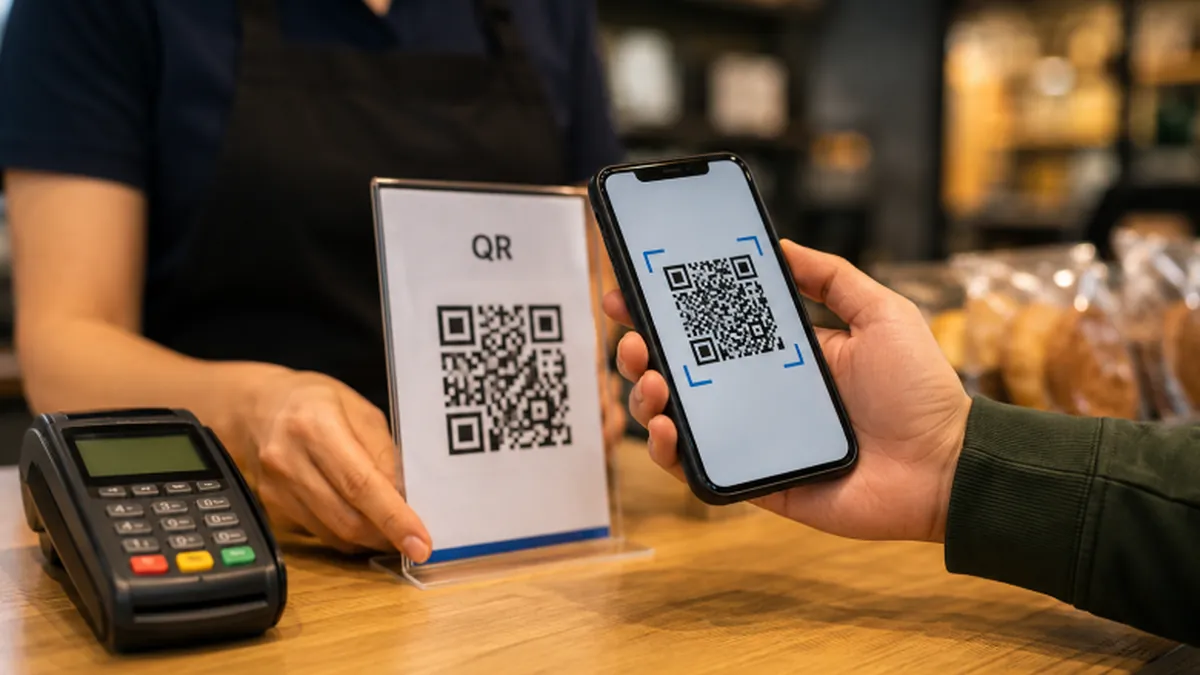
How to make a QR code free in two minutes
Restaurant menus, wifi passwords, business cards, event tickets — the little square maze is everywhere — it was invented by Denso Wave to track car parts — and making one is far easier than most people assume. Learning how to make a QR code takes about two minutes, costs nothing, and needs no account: you paste a link, download the image, and you are done. But the difference between a QR code that works and one that frustrates everyone is in the details most generators never mention. Here is the full process, including the mistakes that ruin printed codes.
First, decide what the code should do. The vast majority of QR codes simply open a web page — a menu, a booking form, a portfolio. Others join a wifi network, save a contact, or open a map location. Get clear on the destination before you generate anything, because changing it later is where the static-versus-dynamic decision bites.
Static versus dynamic is the one concept worth understanding. A static QR code has your link baked directly into the pattern — it works forever, needs no service, and nobody can take it away from you. A dynamic QR code points to a redirect service that forwards to your link, which lets you change the destination or count scans later — but only while that service stays alive and free. For anything printed — cards, signs, packaging — static is almost always the right call.
Static vs dynamic: own it or rent it
Why? Because dynamic codes are rented, not owned. If the redirect service shuts down, paywalls the feature, or deletes inactive codes, every printed code you ever made dies at once — and you cannot reprint a thousand flyers. Static codes have no such dependency: the pattern itself is the link. Unless you specifically need scan analytics or plan to change the URL, choose static and sleep well.
Now the actual steps. Open FreeToolsBox’s QR Code Generator — it is free, no sign-up, no watermark. Paste your destination URL into the field. Use the full address starting with https://, and prefer short, clean URLs: shorter links make simpler patterns, and simpler patterns scan faster and survive printing better. If your URL is a mile long, shorten it first with a link you control.
Pick your content type if the generator offers options. URL is the default and the safest. Wifi codes need the network name, password, and security type (usually WPA). Contact codes pack in name, phone, and email. Text codes just display words. Match the type to the job — a wifi QR at a café counter beats a tiny printed password every time.
Download the right format for print or screen
Download the code in the right format. For screens — a website, a slide deck — PNG is fine. For print — business cards, flyers, signage — grab the vector version (SVG or EPS) if offered, because vectors stay razor-sharp at any size while PNGs blur when enlarged. This single choice is the difference between a crisp code and a fuzzy one nobody’s phone can read.
Then, before the code goes anywhere public: test-scan it. Open your phone’s camera, point it at the code, and confirm it goes to the right place. Test on both an iPhone and an Android if you can — their built-in scanners occasionally disagree on exotic content types. A thirty-second test now saves a thousand useless prints later. This step is non-negotiable.
Now the print mistakes, because this is where good codes go to die. Mistake number one: printing too small. The rule of thumb is that the scanning distance is roughly ten times the code’s width — a 2-centimeter code scans from about 20 centimeters away. A business-card code at 1.5 centimeters is fine; the same code on a poster meant to be read from three meters away is decoration, not technology.
Print mistake #1: too small for the distance
Size it for the distance. Table tents and product labels: 2 to 3 centimeters. Posters viewed from a couple of meters: at least 8 to 10 centimeters. Billboards and banners: go big — a meter or more is not unreasonable. When in doubt, print one test copy at the real size and scan it from the real distance. Paper is cheap; reprints are not.
Mistake number two: murdering the quiet zone. The white margin around the code is not empty space — it is part of the code, and scanners need it to find the edges. The standard calls for a margin at least four modules wide on all sides — GS1’s barcode standards require the same quiet-zone discipline for retail codes. Designers love to crop it for a “cleaner look,” and every cropped code is a code that fails in bad lighting. Leave the margin alone.
Mistake number three: low contrast and busy backgrounds. QR codes need dark modules on a light background — black on white is the gold standard. Inverted codes (white on black) fail on many scanners. Fancy gradients, photos behind the code, and brand-colored modules all reduce reliability. If the code must sit on a colored background, put a solid white box behind it first.
Print mistakes #2–4: quiet zone, contrast, decoration
Mistake number four: over-decorating. A small centered logo is usually fine — the code’s error correction can survive roughly 30% damage at the highest setting, a resilience baked into the ISO QR standard. But big logos, rounded “designer” modules, and artistic restyling eat into that margin fast. Every decoration is a gamble against someone’s older phone in dim restaurant light. Pretty is the enemy of scannable.
Mistake number five: the untested exotic. Wifi codes, app-store deep links, and contact codes work beautifully — when tested. They also fail silently in ways URLs do not: a wifi code with the wrong security type just does nothing, and the user blames your code, not their settings. If you use anything beyond a plain URL, test it on two different phones before printing. Twice.
Content choice matters as much as print quality. Link to pages you control, because QR codes outlive campaigns — that flyer will still exist in two years, and the link must too. Avoid URL shorteners you do not own; if the shortening service dies, so does every code. Your own domain, even a simple redirect page on it, is the safest destination.
Link to pages you control
For wifi sharing, double-check the exact network name — it is case-sensitive — and the security type. Most home and café networks are WPA/WPA2; getting this wrong is the number one reason wifi codes fail. And consider a guest network: a QR code on the wall is a password you have published, so make it a password you can change.
For business cards, the contact format saves the recipient from typing. Keep it lean: name, one phone number, email, website. Cramming in extra addresses and a slogan makes a dense, hard-to-scan pattern. The card already has the details for human eyes; the code is for the phone.
What about tracking scans? That is the legitimate case for dynamic codes: marketing campaigns where you need to know the flyer worked. Go in with open eyes — you are trading permanence for analytics — and choose a reputable service with a clear free tier. Export your data regularly, because free tiers change. For everything else, static.
When dynamic codes make sense: tracking
A security note, for both makers and scanners. QR codes are opaque to human eyes — a sticker placed over your restaurant’s menu code could point anywhere. If you display codes publicly, check them periodically. And as a scanner, only scan codes you trust, in places you trust; your phone shows the URL before opening it — read it. Codes are convenient, not magic.
Placement is the forgotten half of print. Put codes at eye level or table height, in good light, within comfortable phone range. A code on a floor decal, behind glass with reflections, or at the top of a six-meter banner is a code nobody scans. Walk the real path your customer walks, phone in hand, and place the code where your hand naturally stops.
One more longevity point: static codes do not expire — but destinations do. That perfect code on your packaging still works in five years only if the page still exists. When you redesign your site, keep old landing URLs alive with redirects. A QR code is a promise; a dead link is a broken one.
The complete 8-step routine
The complete routine, then: decide the destination, choose static unless you need analytics, generate it free with FreeToolsBox’s QR Code Generator, download SVG for print or PNG for screen, size it for the viewing distance, protect the quiet zone, keep contrast high, and test-scan on two phones. Eight steps, two minutes, zero cost.
Most people will only ever need the first five steps. But the people whose codes get scanned hundreds of times — the café owners, the event organizers, the packaging designers — are the ones who respected the last three. Reliability is the whole product. A QR code that does not scan is not a QR code; it is a smudge.
Go make one now: a wifi code for your home, a link code for your portfolio, a contact code for your next event. Generate it, print a test, scan it from across the room. Once you have watched a phone jump to the right page from a square you made in two minutes, you will never pay for this again — because you will never need to.